Understanding TradingView's Core Features
In today's fast-paced financial markets, traders and investors require sophisticated tools to analyze data effectively and make informed decisions. Enter TradingView, a powerful platform that not only aggregates market data but also provides professional-grade charting tools, alert features, and seamless cross-platform functionality. As we delve into the core capabilities of TradingView, we will explore how it can enhance your trading experience. For those seeking an intuitive interface and robust features, TradingView stands out as a comprehensive solution.
What Is TradingView and Its Key Capabilities?
TradingView is a web-based platform designed for traders across various markets, including stocks, forex, cryptocurrency, and more. Its key capabilities include:
- Real-time Market Data: Access to up-to-date information from global exchanges.
- Advanced Charting Tools: Multiple chart types and time frames, along with customizable indicators.
- Social Networking Features: Engage with a community of traders to share ideas and insights.
- Script Editor: Create and deploy custom trading strategies using Pine Script.
How TradingView Enhances Market Analysis
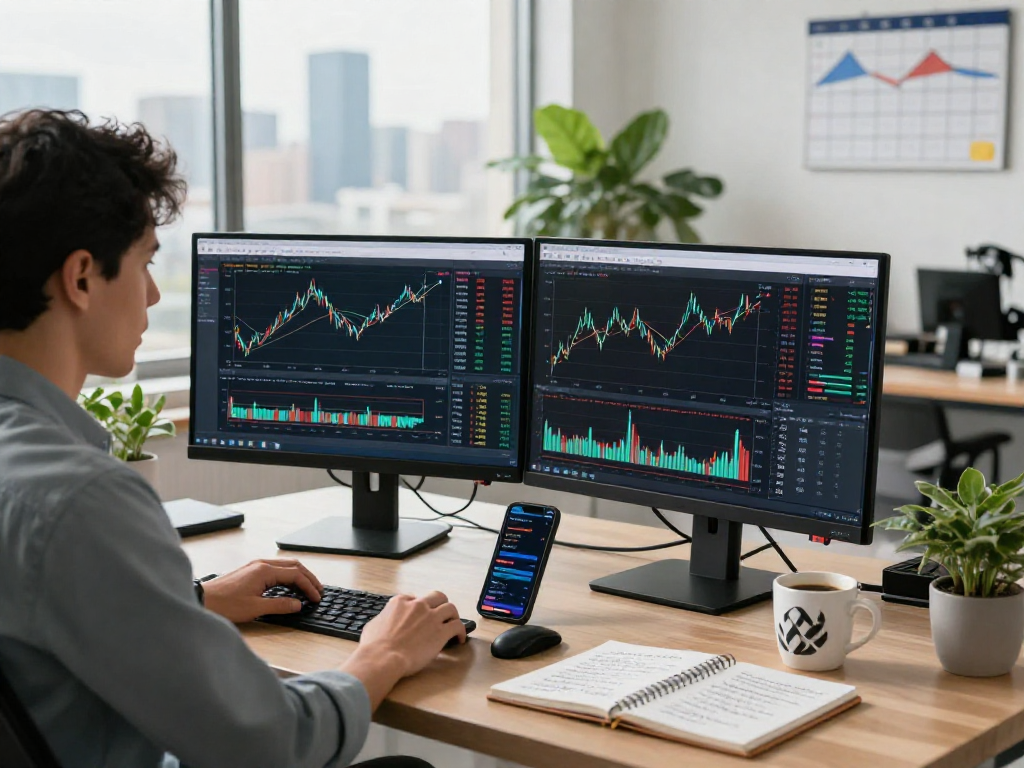
Market analysis is crucial for making informed trading decisions. TradingView enhances this process through its powerful charting capabilities. Users can access a wide array of chart types, including line, bar, and candlestick charts. These can be customized with technical indicators such as moving averages, RSI, and MACD, allowing traders to perform in-depth analysis tailored to their specific strategies.
Additionally, the platform supports multi-timeframe analysis, enabling users to view the same asset across different periods simultaneously. This feature is particularly useful for day traders and swing traders who need to assess trends over varying time frames.
Exploring Tools for Technical Analysis
Technical analysis involves studying price movements and patterns to forecast future market behavior. TradingView provides extensive tools for conducting technical analysis, including:
- Drawing Tools: Users can annotate charts with trend lines, Fibonacci retracements, and other critical markers.
- Technical Indicators: Over 100 built-in indicators to help gauge market sentiment and identify potential trade setups.
- Backtesting Capabilities: Test trading strategies against historical data to evaluate their effectiveness before applying them in real-time.
Maximizing Alerts and Notifications
One of the standout features of TradingView is its robust alert system, designed to keep traders informed without the need to monitor markets continuously. Alerts can be set for price movements, technical indicators crossing certain thresholds, or specific conditions being met.
The Importance of Price Alerts in Trading
Price alerts are vital for traders who cannot constantly watch price movements due to time constraints or geographical limitations. By setting up alerts at critical levels, traders can focus on other tasks while still being notified when significant market changes occur.
Customizing Alerts for Optimal Performance
TradingView allows for extensive customization of alert settings, including:
- Notification Channels: Users can choose to receive alerts via email, SMS, or push notifications on mobile devices.
- Condition-Based Alerts: Set alerts based on complex conditions involving multiple indicators or price behaviors.
How Notifications Improve Decision-Making
Timely notifications make it easier for traders to react quickly to market changes. By having alerts configured, traders can make more strategic decisions without having to monitor charts incessantly, ultimately enhancing overall trading efficiency.
Cross-Platform Usability
In an increasingly mobile world, TradingView offers extensive cross-platform usability. This means you can access your trading and analysis tools from a variety of devices without losing any capabilities.
Accessing TradingView on Different Devices
Whether you prefer using a desktop, tablet, or mobile device, TradingView's responsive design ensures that you have access to essential features across all platforms. This flexibility allows you to analyze markets and manage your trades from virtually anywhere.
Benefits of Multi-Platform Functionality
The multi-platform functionality of TradingView brings several benefits to traders:
- Consistent User Experience: The interface remains largely the same irrespective of the device, making it easy to switch between them.
- Seamless Synchronization: Your charts, watchlists, and alerts can sync across devices, ensuring you never miss out on critical updates.
Seamless Workflow Between Desktop and Mobile
With TradingView, you can start an analysis session on your desktop and continue on your mobile device without interruptions. This seamless workflow is particularly beneficial for active traders who often find themselves on the move.
Cost Structure and Benefits
Understanding the cost structure of TradingView is essential to leverage its features effectively. The platform offers a range of plans, each catering to different levels of users.
Comparing Free vs. Paid Plans on TradingView
TradingView provides users with both free and paid subscription options. The free plan offers access to essential functionalities and charting tools, while paid subscriptions unlock advanced features such as:
- Faster Data Updates: More frequent updates on market data.
- More Alert Settings: Increased limits on the number of alerts you can set up.
- Enhanced Customer Support: Access to priority support for quick issue resolution.
Understanding Feature Limitations Across Tiers
Each subscription tier comes with its own set of limitations. For instance, the free plan may restrict the number of technical indicators available for use, or limit the historical data accessible to users. It's crucial to assess which features align with your trading style and volume before committing to a specific plan.
Evaluating Value for Money in Trading Tools
The value provided by TradingView's paid plans often outweighs the cost, especially for frequent traders who rely on its real-time data, advanced charting tools, and community insights. Users can also take advantage of the 30-day trial period for paid subscriptions to assess the platform without any commitment.
Future Trends in Trading Technology
The world of trading technology is rapidly evolving, and TradingView is well-positioned to adapt to these changes, making it essential for traders to stay updated on future trends.
Predictions for TradingView's Evolution in 2026
As trading technology advances, TradingView is expected to enhance its functionalities significantly. Anticipated developments include:
- Integration of AI Features: Implementing artificial intelligence for predictive analytics and automated trading strategies.
- Expanded Asset Coverage: Providing access to additional assets and markets, enhancing the platform's versatility for global traders.
Emerging Technologies Affecting Market Analysis
Technologies such as machine learning and blockchain are increasingly influencing market analysis techniques. TradingView may integrate these technologies, potentially offering traders deeper insights into market trends and behaviors.
How Traders Can Prepare for Changes Ahead
To effectively prepare for these changes, traders should familiarize themselves with emerging technologies and continuously educate themselves on new trading strategies. Engaging with the TradingView community can also provide valuable insights into best practices and innovative tools.
What are the unique features of TradingView?
Some unique features of TradingView include its social networking capabilities, the ability to create custom indicators with Pine Script, and its comprehensive alert system.
How do notifications enhance trading efficiency?
Notifications allow traders to make quick decisions without constant monitoring, ensuring they do not miss important market movements or opportunities.
Is TradingView suitable for beginners?
Yes, TradingView is user-friendly, making it ideal for both seasoned traders and beginners. The plethora of educational resources and community support further enhance its suitability for new users.
What devices can I use to access TradingView?
TradingView can be accessed via desktop (Windows, macOS, and Linux), tablets, and mobile devices (iOS and Android), providing flexibility for users.
What are the pricing options for TradingView?
TradingView offers several pricing plans, including a free tier and multiple paid options that provide enhanced features and functionalities. Users are encouraged to review the pricing page for the latest details on available plans.